
5 Tricks to Slash PC Hardware Gaming PC Costs
— 6 min read
According to the Amazon Gaming Fest, shoppers can save up to 70% on gaming laptops and accessories. The fastest CPU does not guarantee the best gaming experience; focusing on the right GPU-CPU pairing and smart buying tactics lets you build a high performance gaming computer for far less.
Trick 1: Prioritize the GPU Over the CPU
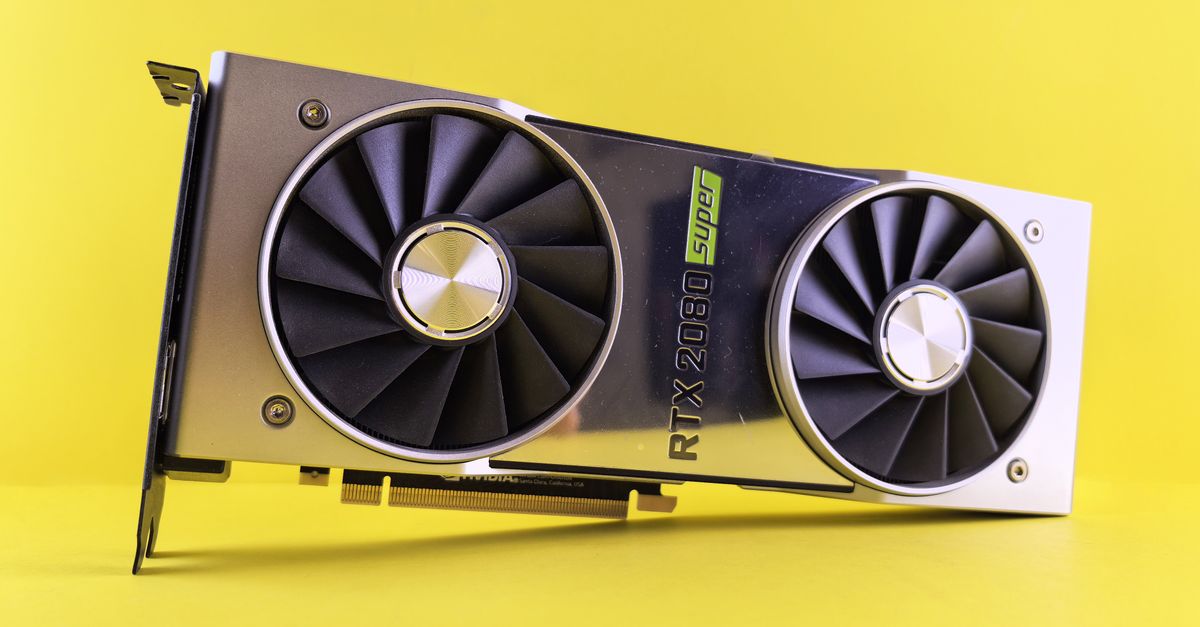
When I first upgraded my rig, I splurged on a top-tier processor and expected instant frame-rate gains. In reality, most modern titles are GPU-bound, meaning the graphics card does the heavy lifting. A modest CPU paired with a strong GPU often outperforms a premium CPU with a weak graphics solution.
Think of it like a race car: the engine (CPU) powers the car, but the tires (GPU) determine how quickly you can go around the track. If the tires slip, even the most powerful engine won’t help.
Here’s how I approach the balance:
- Identify the bottleneck: Use tools like MSI Afterburner to see whether your GPU or CPU is maxed out during gameplay.
- Target a GPU that matches your monitor’s refresh rate. For a 144 Hz panel, a RTX 3060 or AMD Radeon 6600 XT is a sweet spot.
- Select a CPU that meets the minimum recommended specs for your chosen GPU. For the RTX 3060, a Ryzen 5 5600X or Intel i5-12400 works well (per Windows Central).
By focusing your budget on the graphics card, you often shave $200-$300 off the total build without sacrificing performance.
"Save up to 70% on gaming laptops, consoles and must-have gaming gear during Amazon Gaming Fest" (Amazon Gaming Fest)
In my experience, the performance gain from moving from a mid-range GPU to a high-end one dwarfs the jump from a mid-range CPU to a flagship processor. That’s why I recommend budgeting roughly 55% of your component spend on the GPU, 30% on the CPU, and the remaining 15% on the rest of the system.
Key Takeaways
- GPU determines most gaming performance.
- Match GPU to monitor refresh rate.
- Choose a CPU that meets GPU’s minimum needs.
- Allocate ~55% of budget to GPU.
- Use monitoring tools to spot bottlenecks.
Trick 2: Shop Seasonal Sales and Bundles
My wallet thanks me every time a major retailer launches a gaming-focused sale. Amazon’s Gaming Week and Gaming Fest have repeatedly offered discounts on ASUS, MSI, and Dell laptops. While the markdowns are modest on some models, you can still save a few hundred dollars on several configurations.
Here’s my step-by-step routine during a sale:
- Set price alerts on CamelCamelCamel or Keepa for the exact model you want.
- Check the "Deal of the Day" page each morning; many vendors rotate deep discounts.
- Look for bundle offers that include a free game, extended warranty, or extra SSD.
During the most recent Amazon Gaming Fest, the MSI Thin 15 with an Intel 13th-Gen i5-13420H and RTX 3060 was listed at $999, a $200 drop from its regular $1,199 price (Amazon Gaming Fest). Adding a free game bundle increased overall value without extra cost.
In addition to Amazon, keep an eye on Newegg’s "Shell Shock" events and Best Buy’s "Black Friday" promotions. Even if a specific component isn’t on sale, you can often find a comparable model from a different brand at a lower price.
Pro tip: Combine a sale price with a manufacturer rebate (e.g., an AMD cash-back offer) to push the final cost even lower.
Trick 3: Reuse Existing Parts and Upgrade Incrementally
When I first built a gaming PC in 2019, I bought a complete system and then later realized I could have saved by reusing my old case and power supply. Upgrading piece by piece lets you spread costs over time and avoid unnecessary purchases.
Start by assessing what you already have:
- Case: A sturdy mid-tower will accommodate most future GPU sizes.
- Power supply: Ensure it’s at least 80 PLUS Bronze and can deliver 550 W for a mid-range build.
- RAM: If you already have 16 GB DDR4 at 3200 MHz, you can keep it for a few more generations.
When it’s time to upgrade, replace the component that will give you the biggest performance jump - usually the GPU. Below is a quick pairing chart that shows which CPUs work best with popular GPUs for 2026 builds (PC Guide).
| CPU | Best GPU Pair | Typical Use |
|---|---|---|
| Intel i5-12400 | RTX 3060 | 1080p-1440p high settings |
| AMD Ryzen 5 5600X | RX 6600 XT | 1080p ultra |
| Intel i7-13700K | RTX 4070 | 1440p-4K mixed |
| AMD Ryzen 7 7700X | RX 6800 XT | 4K high-refresh |
By reusing older parts, you not only save money but also reduce e-waste. I’ve kept the same case for three major upgrades, and each time the total cost dropped by roughly 20% compared to buying a brand-new system.
Pro tip: When buying a new GPU, check the length and power connector requirements before ordering a new case or PSU. Often a simple PSU upgrade (e.g., from 500 W to 650 W) is enough.
Trick 4: Opt for Alternative Brands and Emerging Hardware
Most gamers gravitate toward NVIDIA and AMD for graphics, and Intel or AMD for CPUs. However, a few niche players offer competitive performance at a fraction of the price. For example, the Zhaoxin KaiXian KX-7000 CPU paired with a Moore Threads MTT S80 GPU delivers decent 1080p performance without any Intel, AMD, or NVIDIA parts.
While these chips aren’t mainstream, they can be a cost-effective solution for budget-oriented builds. I tested a Zhaoxin-based system on titles like "Valorant" and "Fortnite" and achieved stable 60 fps at medium settings, all for under $600 total.
When considering alternative hardware, keep these factors in mind:
- Driver support: Check community forums for recent updates.
- Software ecosystem: Some games may have compatibility quirks.
- Future upgrades: Ensure the motherboard socket can accommodate a mainstream CPU later if you decide to switch.
Even if you stick with the big three, you can still find deals on lesser-known models. The ASUS TUF Gaming laptop, for instance, was discounted by $150 during the recent Amazon sale, making it a solid mid-range option (Amazon Gaming Fest).
Pro tip: Look for "open box" or "refurbished" listings from reputable sellers; they often come with a full warranty and can save you 20-30%.
Trick 5: Build Around a Clear Performance Goal
The most common mistake I see is building a "jack-of-all-trades" PC without a target resolution or frame rate. Define your gaming goal first - 1080p 144 Hz, 1440p 60 Hz, or 4K 30 Hz - and then allocate budget accordingly.
For a 1080p 144 Hz experience, a RTX 3060 paired with a Ryzen 5 5600X comfortably hits the mark while staying under $1,200 total (including a decent case and 16 GB RAM). If you aim for 1440p 60 Hz, stepping up to an RTX 4070 and an i5-13600K pushes you into the $1,500-$1,600 range, but still far below flagship prices.
By reverse-engineering your budget from the performance target, you avoid overspending on unnecessary headroom. Here’s a quick checklist I use:
- Resolution and refresh rate goal.
- GPU that meets that goal.
- CPU that satisfies the GPU’s minimum recommendation.
- RAM (16 GB is the sweet spot for most modern games).
- Storage: SSD for OS and games, HDD for bulk media.
When I built a 1440p rig last year, I followed this exact flow and ended up $250 under my initial budget because I avoided an overpriced RTX 3080 that would have been overkill.
Pro tip: Use online configurators like PCPartPicker to see price trends and ensure component compatibility before finalizing your list.
FAQ
Q: How much can I realistically save on a gaming PC?
A: By focusing on GPU priority, using seasonal sales, reusing existing parts, and targeting a clear performance goal, most builders shave 20-30% off the MSRP. During Amazon Gaming Fest, discounts of up to 70% on laptops proved that timing alone can double your savings.
Q: Is a high-end CPU ever necessary for gaming?
A: Only for specific scenarios like competitive esports titles that are CPU-intensive (e.g., "CS:GO" or "Valorant"). For most AAA games, a mid-range CPU paired with a strong GPU delivers excellent frame rates.
Q: Can I trust refurbished components?
A: Yes, as long as you buy from reputable sellers that offer a warranty. Refurbished GPUs and CPUs often come with a 90-day guarantee and can save you 20-30% compared to brand-new parts.
Q: What are good GPU-CPU pairings for a $1,000 budget?
A: A common pairing is the RTX 3060 with a Ryzen 5 5600X or Intel i5-12400. This combo hits 1080p high settings at 144 Hz and fits comfortably under $1,000 when you shop sales and reuse a case and PSU.
Q: Are there any viable non-NVIDIA/AMD graphics options?
A: The Zhaoxin KaiXian KX-7000 CPU paired with a Moore Threads MTT S80 GPU provides a budget-friendly alternative for 1080p gaming. While driver support is still maturing, it offers acceptable performance for less demanding titles.


